The five minute guide
Everything you need to run this dashboard, for Kim and for Joe. Start with the five habits, take the short tour, then keep the cheat sheet at the bottom.
Three short chapters of real screenshots. Pick one; it plays like a video. Tap the picture to skip ahead, tap the left edge to go back.
▶Talking to Claude
The composer opens from 💬 Instruct Claude on any page. The first tab, Auto, is one box for everything. Type and send; it routes itself.
- Ends with a question mark, or starts with a question word: you get an answer in chat.
- Starts with an action verb (fix, add, change, build, remove...): it becomes a tracked request.
- Anything else (notes, context, ideas): it is stored in the Vault.
- Not obvious? It gets classified, and when in doubt it defaults to a tracked request. Nothing is dropped.
Attaching a file (📎) or recording a voice memo (🔴) moves you to the Vault pane with your typed text carried along. Audio, transcripts, PDFs, and images all work. The For account field there routes an attached image straight into that account's own image library.
The other tabs are manual overrides: Ask (chat), Vault (notes and files), Feedback (a tracked request, directly), and Enrich (request account research).
After you send a request: it becomes a row with status New, it appears in Requests to Claude, Claude picks it up and works it, and it closes as Shipped with a link to the result (or Declined with a reason).
▶Tracking your requests
Open items sit on the Dashboard under Requests to Claude. Tap that header for the full tracker, with the closed history and an Open/Closed toggle.
| New | Sent, not picked up yet. |
| Seen | Claude has read it. |
| In progress | Being worked right now. |
| ⚠ Needs you | Waiting on a decision or answer from you. These float to the top. |
| Shipped | Done, with a link to the result. |
| Declined | Not done, with the reason noted. |
Rows marked Intake are files still being processed into the Vault. They are read-only status pings and clear on their own.
▶The Vault
The Vault is the system's memory: meetings, voice memos, notes, transcripts, and research files. Everything you send gets structured into a summary with decisions, action items, and linked accounts.
On the Dashboard, Latest from the Vault shows the newest items. The search box under the header filters by title, summary, people, or accounts. Tap the header itself to browse everything.
Want the Vault to know something? Just send it through the composer. A sentence, a recording, or a file is enough.
▶The four tabs at a glance
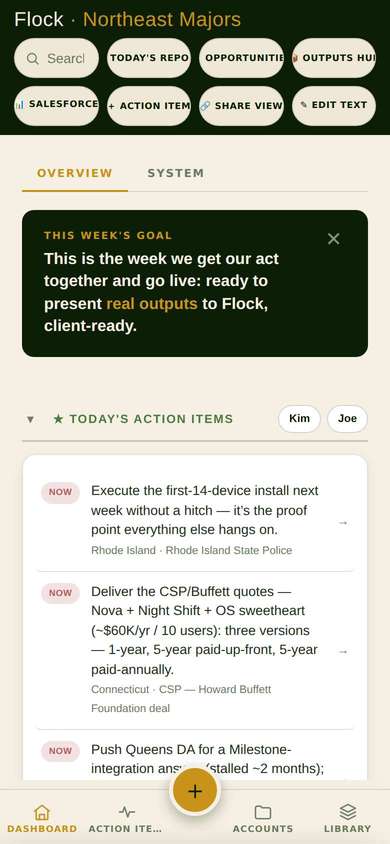
- Dashboard: today's picture. Action items, open requests, and the Vault feed. Its System subtab (where this guide lives) is a read-only reference on how the machine works.
- Action Items: the working to-do board for Kim and Joe. Blockers and the punch list.
- Accounts: every account, searchable, each with its data, images, and outputs.
- Library: the reusable building blocks. Products, imagery, verticals, testimonials, facts, claims, contacts, and fields.
▶From account to deliverables
Enrichment is one research pass that fills an account's record: local facts, challenges, sentiment, and a recommended pitch. Ask for it from the composer's Enrich tab, or from the account's drawer.
From an enriched account the system produces its outputs: the pitch card PDF, a standard microsite, a custom microsite, and an outreach email. Launch and open them from the account's Outputs subtab; one click renders the pitch card and microsite together in a few minutes.
Your image ratings matter: photos rated 👍 in the Library get picked first for outputs, and 🚫 never appears in anything.
▶Staying current
- When a new build ships, the app shows an "Update ready, tap to refresh" pill. Tap it.
- A microsite you already have open needs one manual reload after a re-render to show the new version.
- The Notify pill at the bottom of the Dashboard turns on push notifications, on phones that support it.
▶When something looks wrong
- Reload the page once (or tap the update pill if it is showing).
- Still wrong? Send it through the composer with the page name: "On the Accounts tab, the drawer shows no photo for Yonkers."
- That becomes a tracked request. Watch it in Requests to Claude; you never need to ask twice.
- Everything through the composer: 💬 Instruct Claude, on every page.
- One change per send.
- Questions end with "?" Requests start with Fix, Add, Change...
- Name the page or account.
- Check Requests to Claude on the Dashboard for status.
- Request tracker: Dashboard → tap the Requests to Claude header. Open ↗
- The Vault: Dashboard → tap the Latest from the Vault header. Open ↗
- An account's outputs: Accounts → open the account → Outputs.
- This guide: Dashboard → System → Guide.
- New / Seen: received. In progress: being worked.
- ⚠ Needs you: waiting on your answer. Shipped: done, link attached. Declined: not done, reason noted.
Questions this page did not answer? Ask them in the composer. That is the whole point.